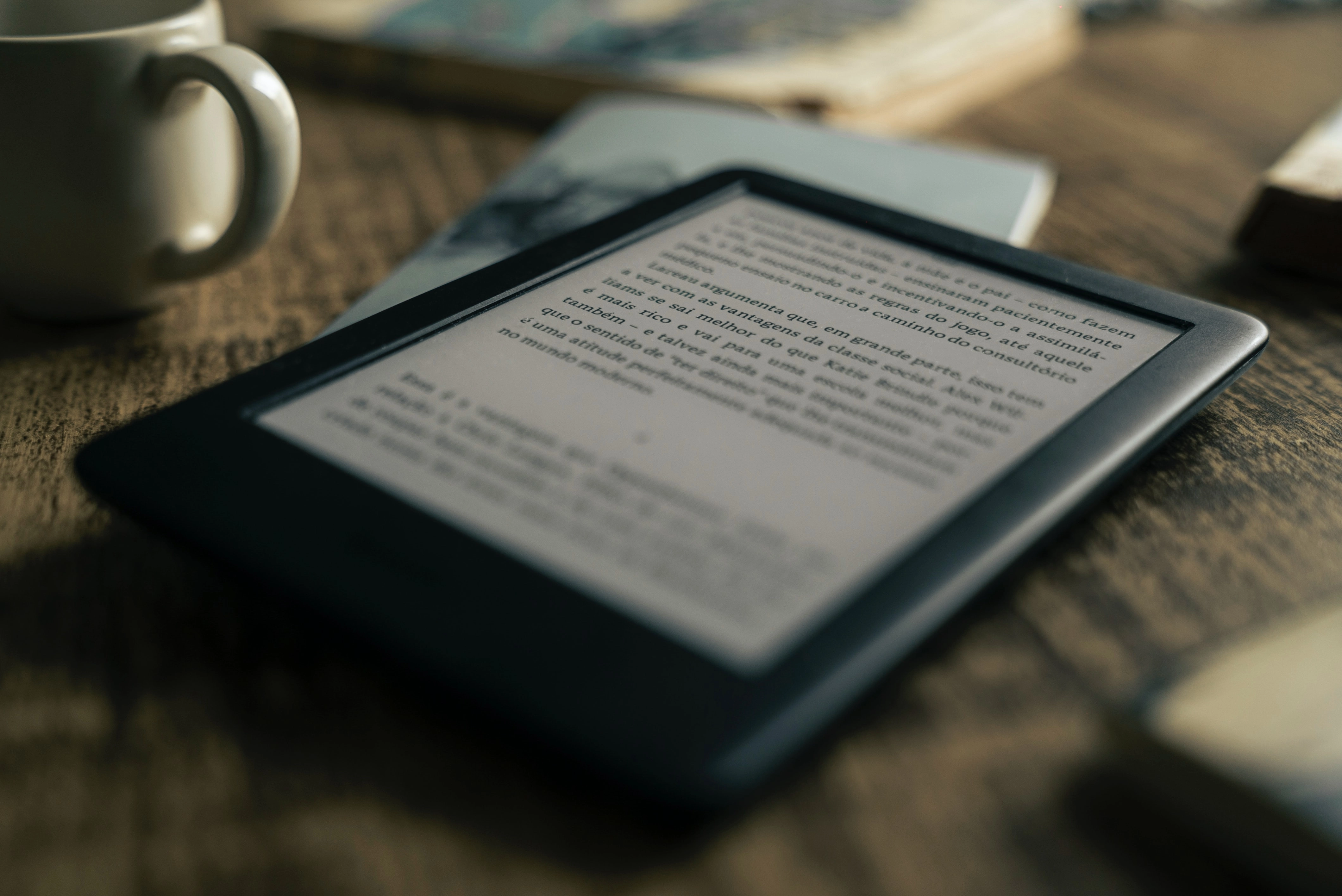
Preface
During the summer break, I picked up a few tutoring gigs. Because of COVID, everything had to be remote. I’d been using my notes on HackMD as teaching slides, but HackMD is really meant for documents — it has its limits as a presentation tool. Then one of my students asked me: “Do you have any book recommendations?”
So I started browsing bookstores online, looking for books suitable for a programming beginner at the high school level — something that wasn’t too basic but also wasn’t full of fluff. I narrowed it down to two candidates: Hello! C++ Programming (2nd Edition) and Introduction to C++ Programming (2nd Edition). I couldn’t decide between them. Both authors turned out to be alumni from my university’s education program and experienced CS teachers — no wonder both books felt well-suited for self-study by students with zero background.
Since I wanted to read the full books quickly (even though the bookstore offered generous preview sections), I figured reading cover to cover would help me properly compare them. I searched e-book platforms and only found the latter on Kobo. I pulled out my card, bought it, and could start reading immediately. E-books at their best. The other book wasn’t available digitally, so I ended up buying a physical copy on Shopee and waiting the agonizing three days for delivery.
That Kobo purchase got me looking into e-ink technology, developed by E Ink Corporation, which holds about 90% of the global market share. E-ink works by moving black and white capsules under an electric field. The main benefit is absurdly low power consumption — it only draws power during page refreshes. The downside is that moving those capsules is slow, far too slow compared to current display technologies. High refresh rate applications on e-ink aren’t happening any time soon.
 E-ink technology (source: E Ink)
Thoughts
After that, I started researching e-ink e-readers. The market basically splits into two camps: open and closed.
Open:
- Pros: Can install various third-party apps, generally better hardware specs
- Cons: Usually more expensive, slow Android updates that may eventually make some apps incompatible
- Examples: HyRead, Boox
Closed:
- Pros: Entry-level models are cheaper, tend to work reliably for years
- Cons: Can’t install other apps, limited book sources (Kindle only buys from Amazon, Kobo readers only from Kobo — though there are workarounds, keep reading)
- Examples: Kindle, Kobo
In the end, I went with Amazon’s Kindle, prioritizing stability. Why not Kobo? At the same price point, the Kindle Paperwhite 4 (KPW4) and Kobo Clara HD were the competitors. Kindle had been in the market longer, which gave me more confidence. The KPW4 also has waterproofing. The Clara HD offers adjustable color temperature, Pocket integration, and Overdrive support — more features on paper, but ones I’d barely use. Overdrive in Taiwan is practically limited to the Taipei Public Library, and the available titles don’t overlap much with what’s popular locally.
How to Borrow Taipei Public Library E-books on Kobo
E-book reader pros (general)
- Light — e-readers are usually much lighter than physical books
- Saves shelf space
- Non-emissive display: since e-ink works by moving black and white capsules and reflecting ambient or backlight, the reading experience is closer to paper and easier on the eyes than phones or computers
- Battery life measured in weeks rather than the daily charging that phones and iPads demand
E-book reader cons (general)
- Can’t flip pages quickly like a physical book, so reference books that require frequent back-and-forth aren’t a great fit
- Can’t resell books you’ve finished
- PDFs get scaled down to fit the screen, so anything under 10 inches is basically unusable for PDF reading (and at that price for 10+ inches, I’d rather buy an iPad — “buy for productivity, use for streaming”)
- Not great for heavy note-taking (the slow refresh rate means typed or handwritten text appears with noticeable delay)
KPW4 pros
- Closed e-readers tend to have even better battery life than open ones, since there’s virtually nothing running besides the reading app
- Six inches is perfect for portability — fits in most of my pants pockets and is just right for one-handed use
- Stable, just works
- Despite Amazon targeting primarily English-speaking markets, it does have Zhuyin (Bopomofo) input (though a bug occasionally causes phantom keystrokes)
- Taiwan users can remove lock screen ads for free, saving the $20 USD removal fee
How to Remove Kindle Ads (Remove Special Offers)
KPW4 cons
- System UI is only available in Simplified Chinese (no Traditional Chinese option)
- After a particular update, Kindle started treating all Traditional Chinese books as Simplified Chinese. Distinguishing between the two is probably tough for Amazon’s team. Being categorized as Simplified Chinese is mostly harmless — except it defaults to Simplified Chinese fonts, which I’ll get to in the pitfalls section.
- Although Amazon launched a Traditional Chinese bookstore in 2019, they dumped all TC books into one giant category. Browsing is painful — you pretty much have to find the book elsewhere first, then search for it on Amazon. In terms of TC book selection (from my experience) and promotional deals, Amazon falls behind Google Play Books and Kobo. So I buy my books on Google Play or Kobo and convert them for reading on the KPW4.
Pitfalls
As mentioned, nearly all my books come from Google Play or Kobo, converted for the Kindle. Here’s how:
How to Transfer Google Play and Kobo E-books to Kindle
Vertical Text Book Conversion The conversion method above has a problem with vertical-text books. I bought “Atomic Habits” on Kobo, which is laid out vertically in the original. After conversion, it flipped to horizontal — a shame given the publisher’s effort. (Most of my other e-books are already horizontal: Greyscale Thinking, The Art of Deep Learning, Why We Sleep, The Psychology of Money. Vertical text on e-readers is niche — fewer than five countries use it, and producing vertical-layout files is more work.) To preserve vertical layout on KPW4, you need to use KindleGen instead of Calibre for conversion.
Official Conversion Tools: Kindle Previewer and KindleGen
macOS Users: How to Get a 64-bit KindleGen
Fonts Remember the Simplified Chinese issue I mentioned? After that update, Kindle treats TC books as SC, which causes font issues. The image on the right below shows the built-in “Simplified Heiti” font; the left shows the “Traditional Heiti” I extracted from the Kindle Android app. For now, the only fix is manually loading a Traditional Chinese font.
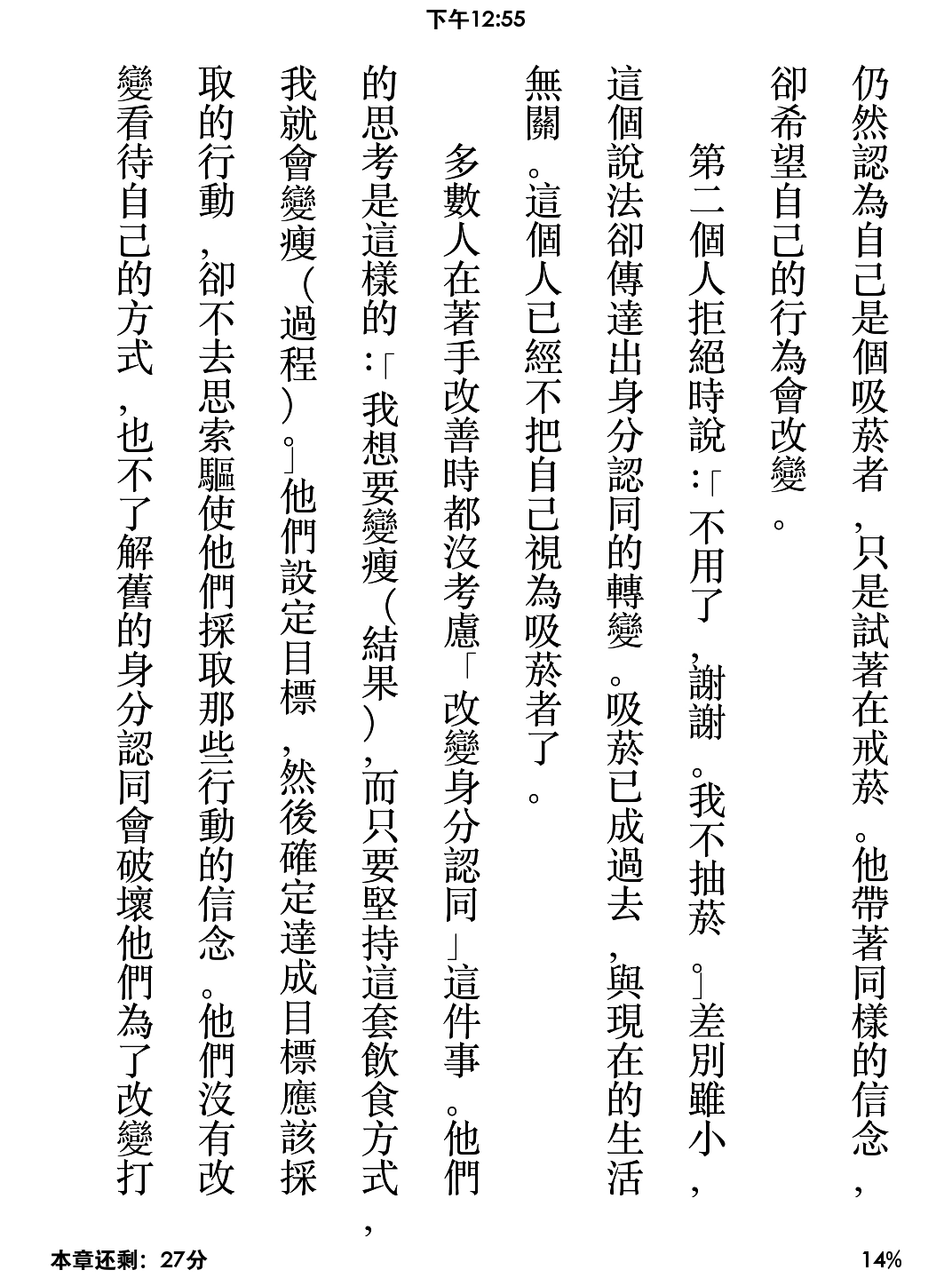
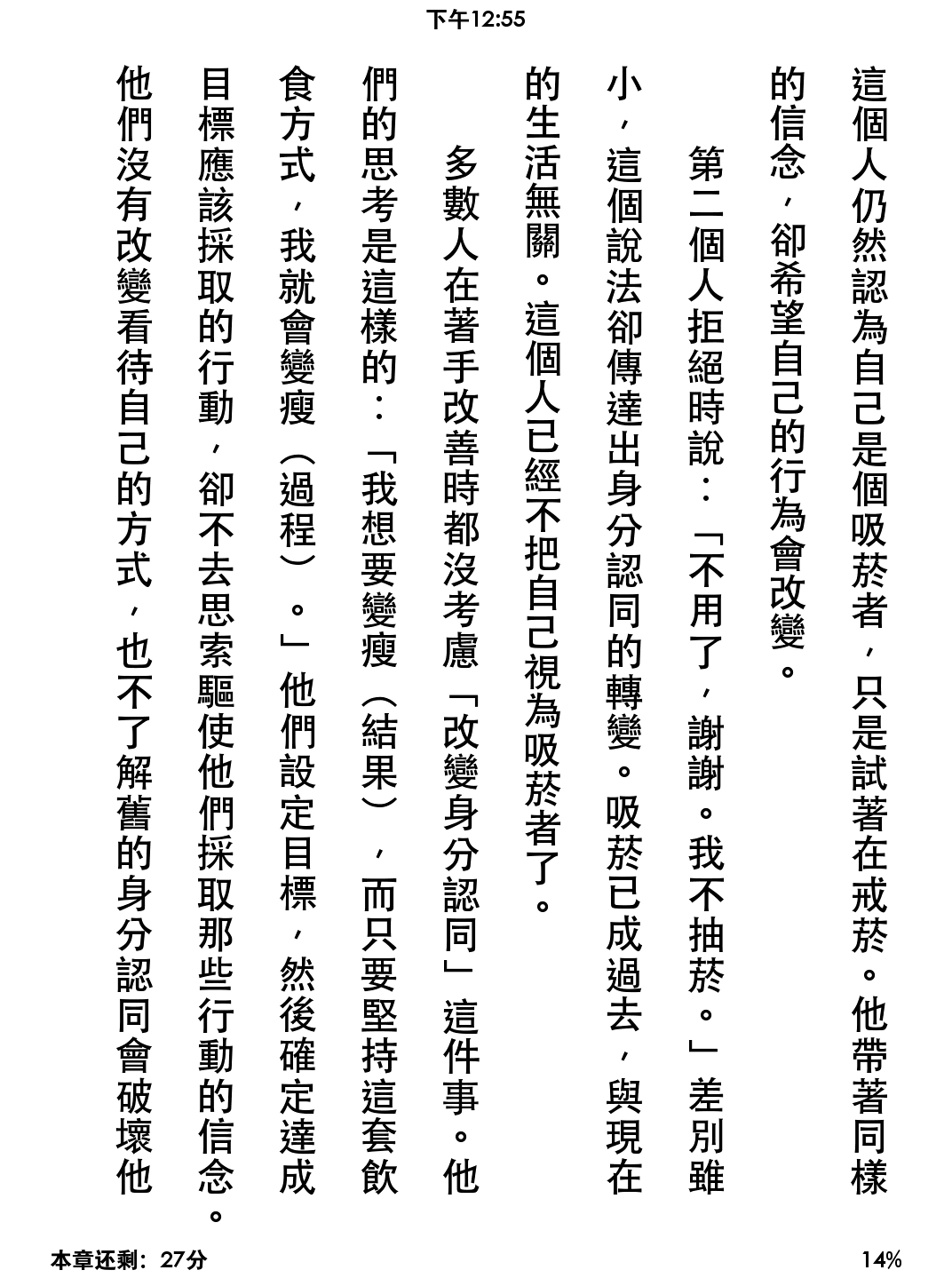
How-to: Custom Font Tutorial
Book Cover Display Since Taiwan users can remove lock screen ads for free (yes, e-ink barely uses power while displaying a static image, so Amazon shows ads on the lock screen), you can switch the lock screen to show your current book’s cover. But Amazon’s mobi format is a mess (mobi 7, mobi 8 — look it up if you’re curious). I ended up converting everything to azw3, which supports custom fonts and displays book covers on the lock screen. Two birds, one stone.
Conclusion
If you want to read PDFs like papers, articles, or magazines, or take notes, go straight for an iPad + Apple Pencil combo. As someone who owns both an e-ink reader and that setup, I think nothing beats the iPad for reading papers, viewing lecture slides, and taking notes (budget aside).
But if you mostly read text-heavy books and want something you can pull out anywhere, an e-ink reader is a great choice. (I’d recommend 7 inches or smaller for true portability.) If you don’t want to deal with file conversion, Kobo is probably the more hassle-free option compared to Kindle.
If you value Amazon’s more mature hardware and can tolerate the conversion process, the KPW4 is worth considering.
Afterword
My situation is pretty much like this author’s — after buying the KPW4, whenever I got tired of studying for grad school exams, I’d reach for the Kindle instead of my phone.
Update
@2022
Since all my books are from Kobo and putting them on the Kindle always required file conversion, I caved during a sale and switched to a Kobo Clara HD.