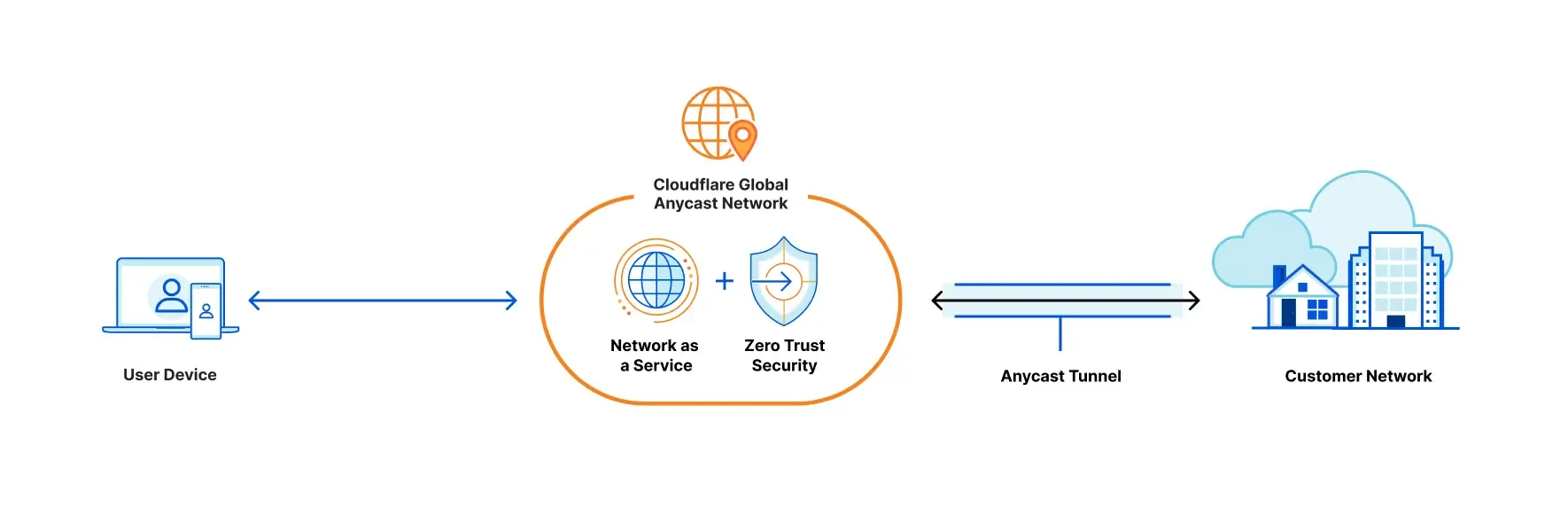
Why we needed this
NOJ’s backend services are hosted on machines provided by our university’s CS department. All campus machines sit behind a firewall, meaning SSH connections to port 22 can only originate from the 140.122.x.x subnet. Before graduating, we’d use VPN to connect back to the campus network and then SSH into the machines. Now that most of the core maintainers have graduated, we really need a VPN or NAT traversal setup.
We actually ran a VPN on the machine before graduating, but that meant one more service to maintain. Whenever the VPN broke, we had no way to fix anything at all.
NAT traversal services
Besides VPN, another way to reach our machines is through NAT traversal services — tools like ngrok or Cloudflare Tunnel (which this post covers). These services let you connect from the public internet to machines that lack a public IP or are blocked by a firewall, like ours. Cloudflare Zero Trust’s Tunnel has some nice extras:
- Authentication via
- Email One Time Password
- SSO (e.g. GitHub)
- Forcing all traffic through Zero Trust’s VPN for secure connections
- Web-based SSH
- etc.
Setting it up
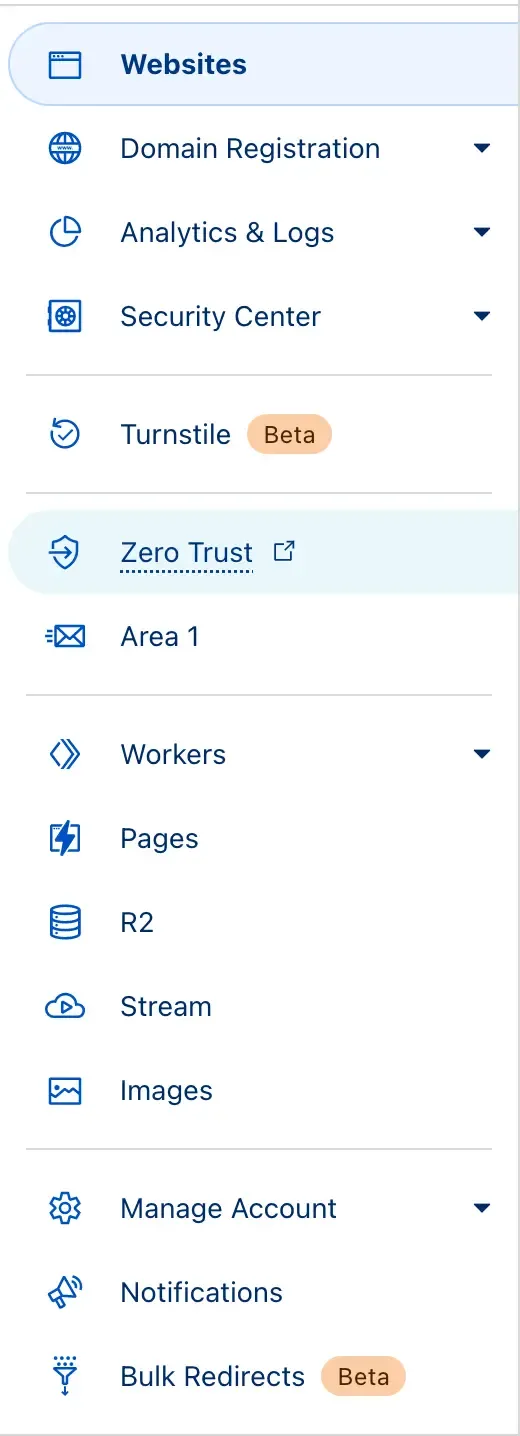
On the Cloudflare dashboard, you’ll find Zero Trust in the left sidebar.
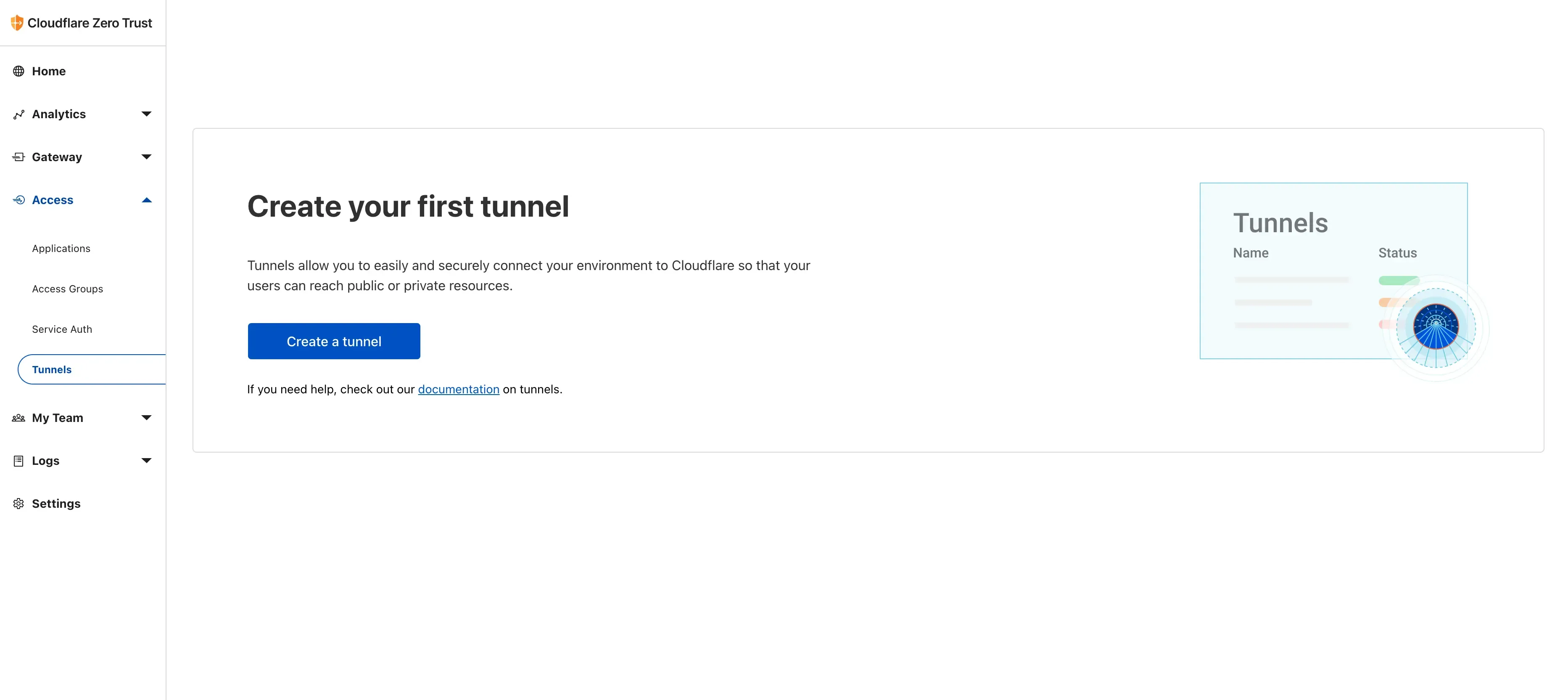
Once inside, create a team as prompted, configure your billing info, then click on Tunnel.
Now the important part: install cloudflared on the machine you want to expose. Pick your platform and follow the instructions.
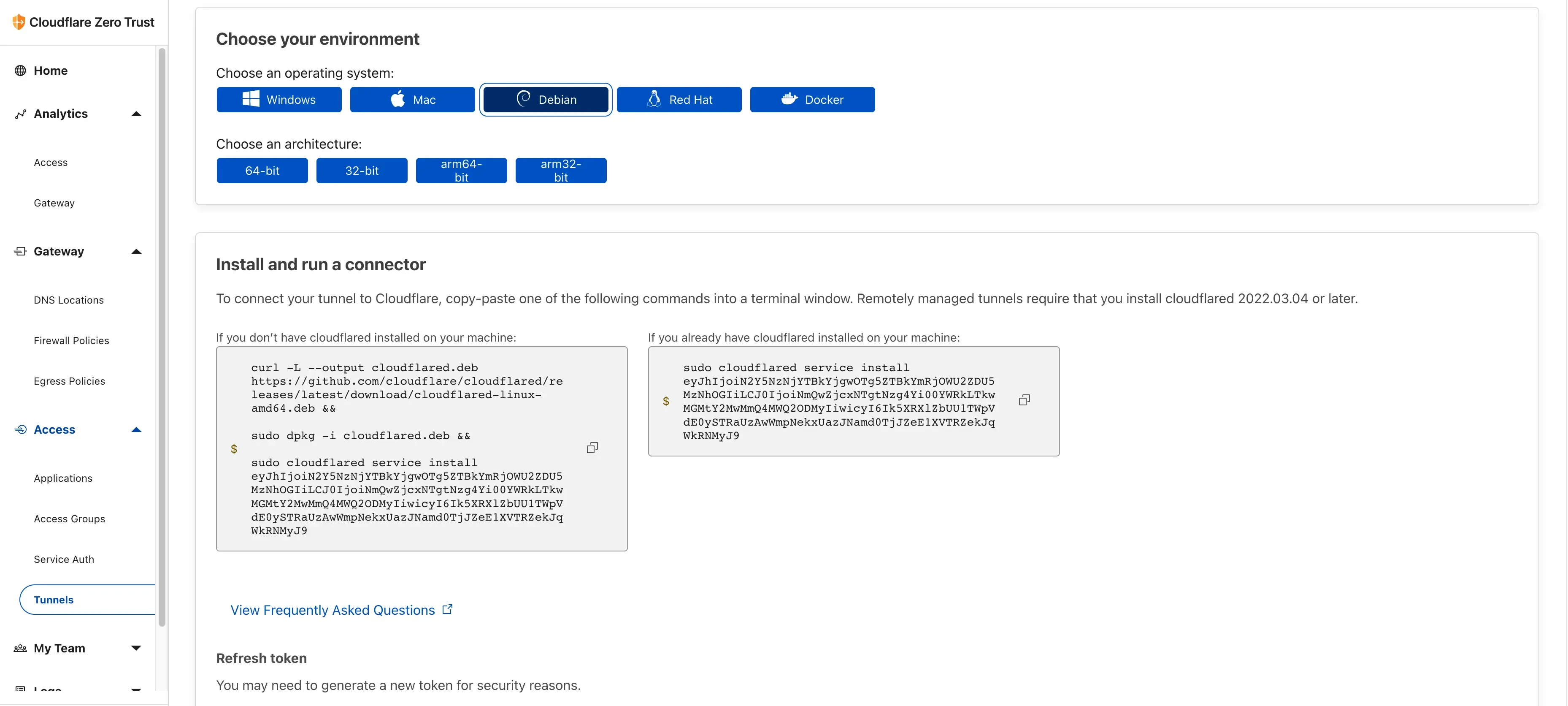
(This is a test token, not our actual one.)
Set up a public hostname so people can connect directly:
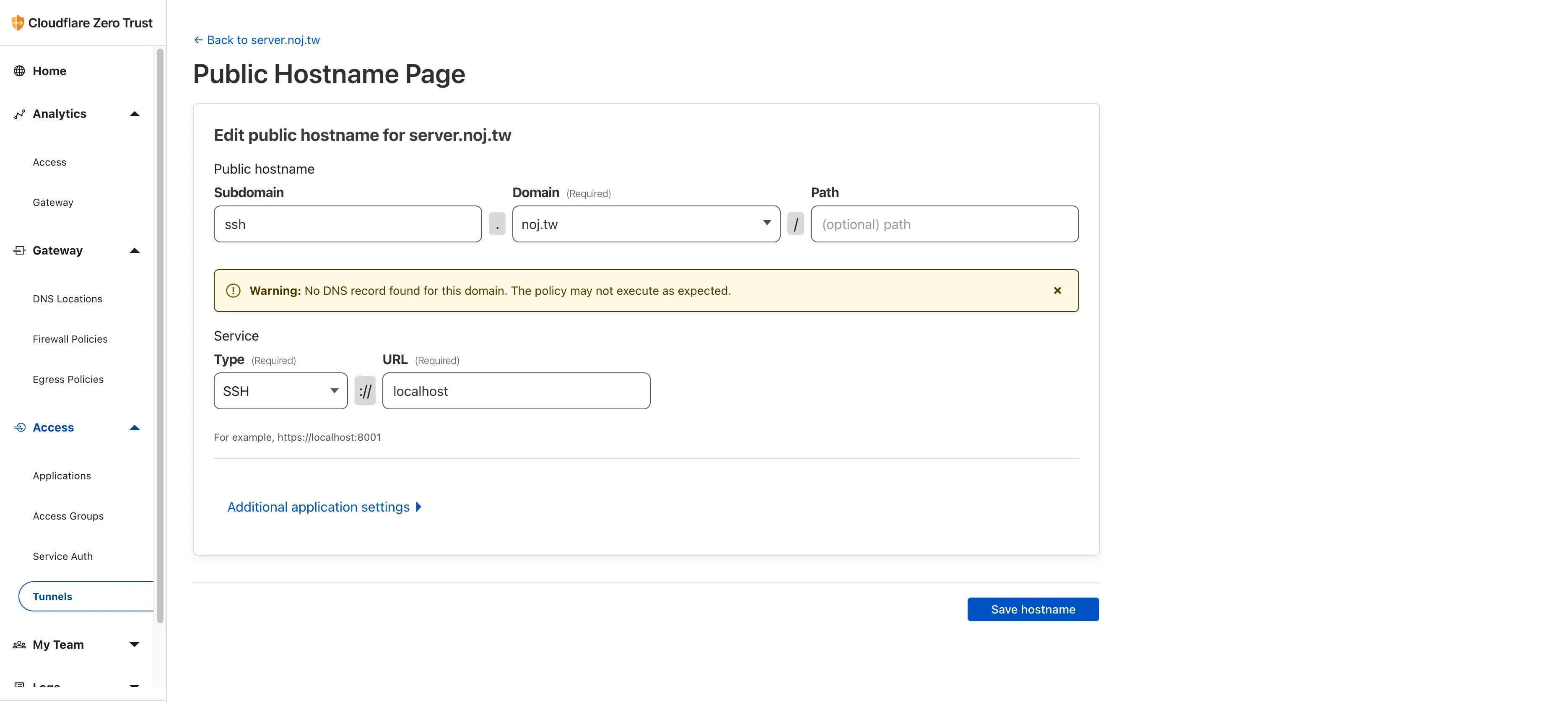
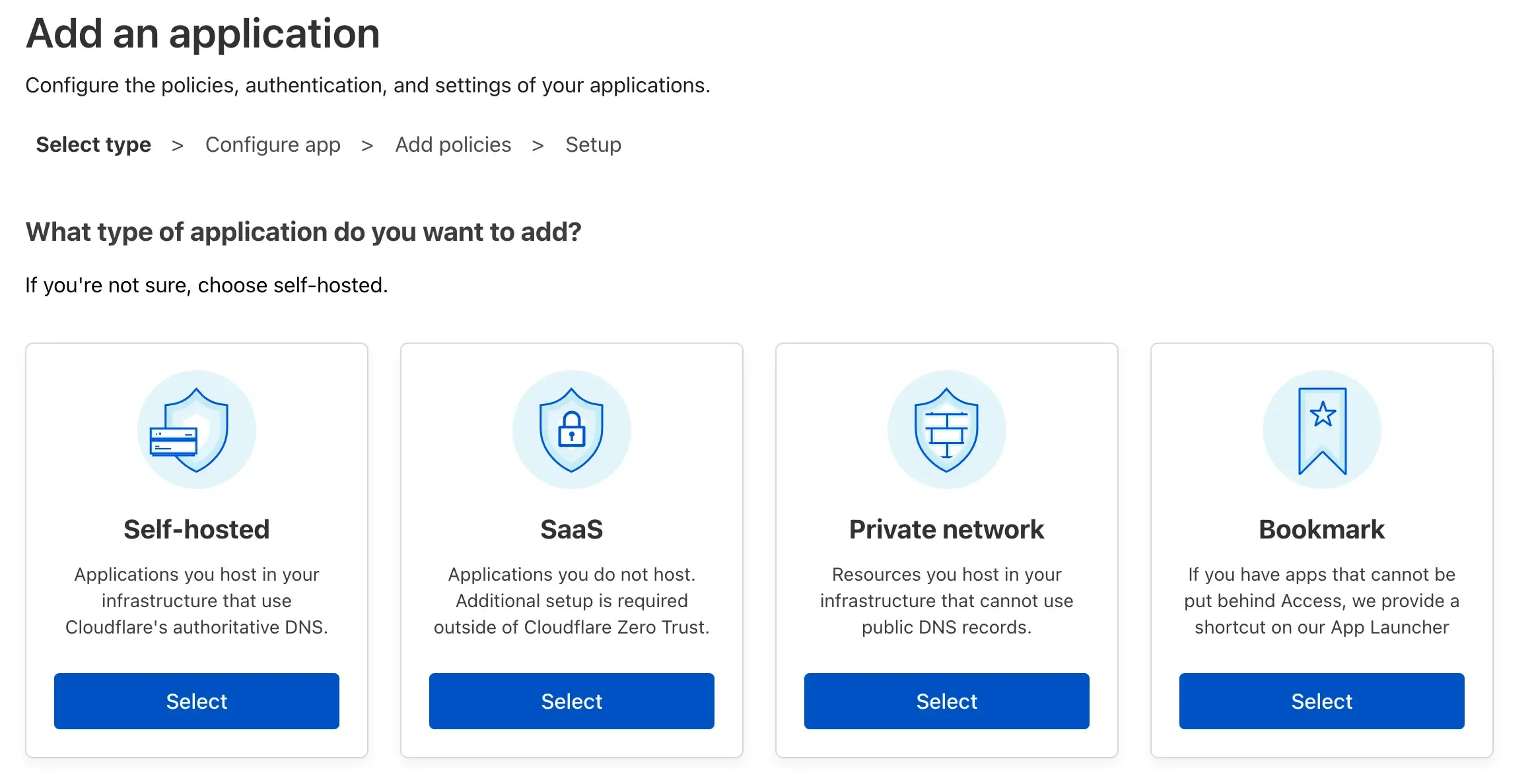
That wraps up the tunnel configuration. Next, go to Access > Application > Add Application and select Self Hosted.
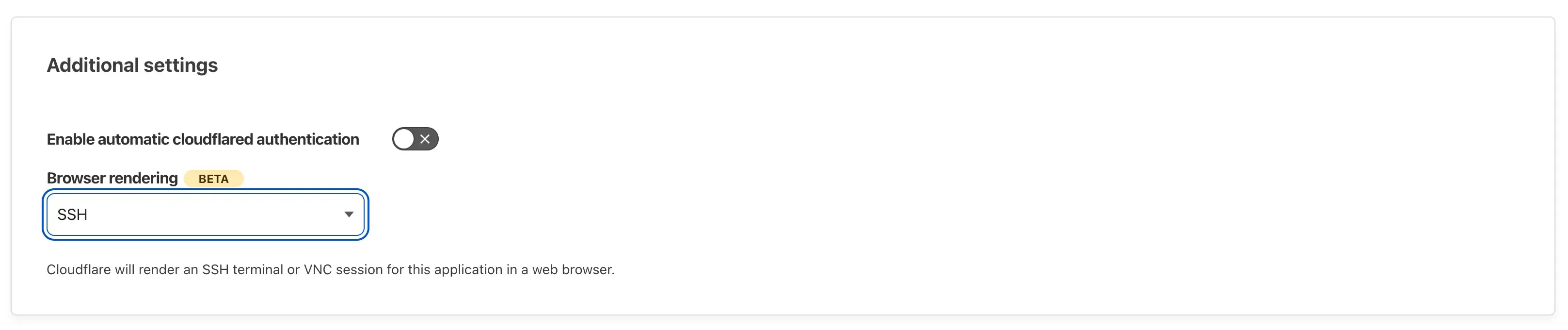
On the final step, you can enable Browser rendering for web-based SSH/VNC access.
A few more things for easier access management:
- Settings > Authentication lets you add auth providers — I added GitHub here.
- Access > Access Groups lets you create groups. I set up a group for the maintainers who need SSH access.
Result
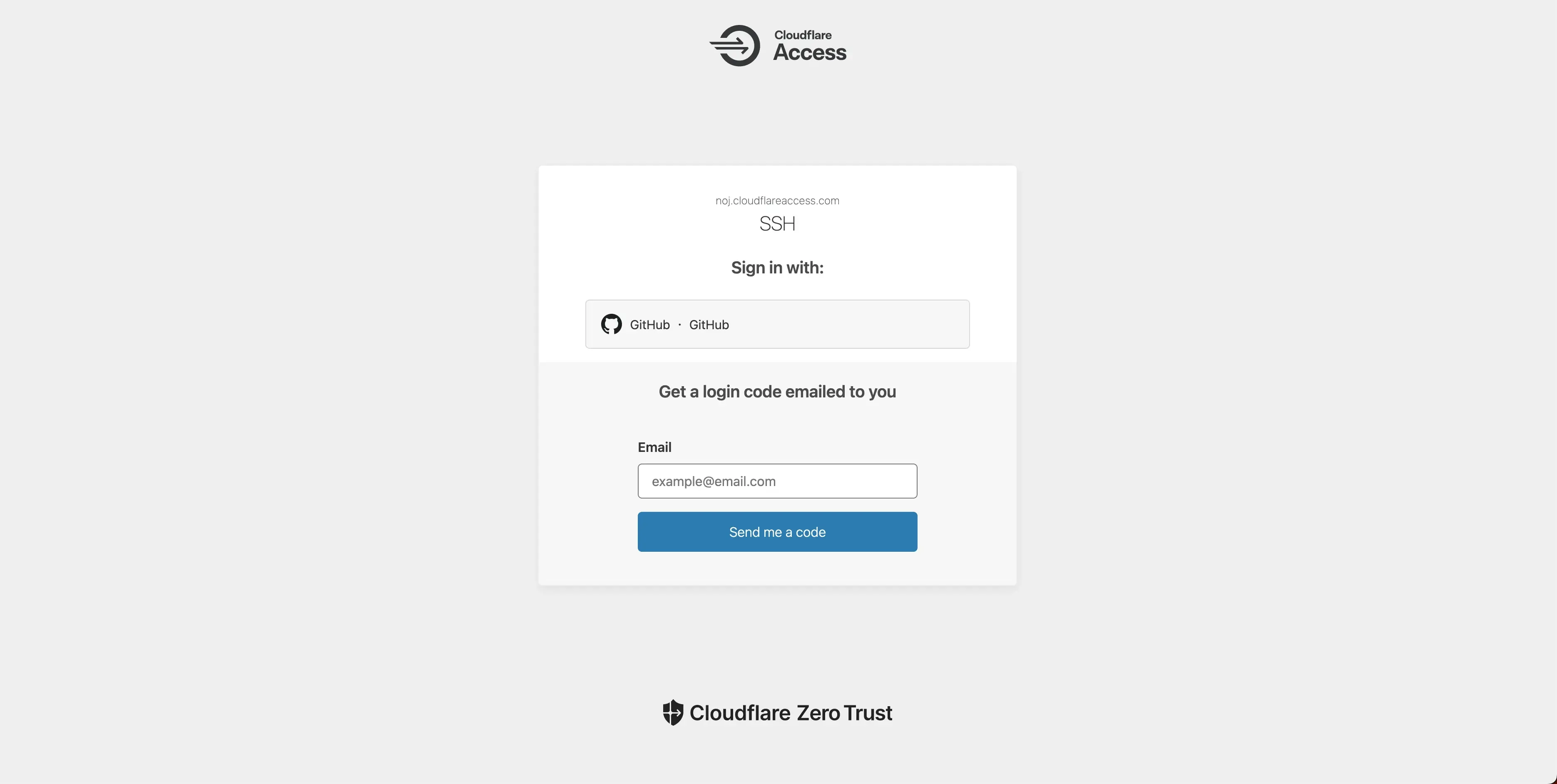
If you want to SSH from your terminal with ssh {server-domain}, you’ll need to write an SSH config
and install cloudflared.
Config example:
Host {your-prefered-name}
  HostName {your-domain-here}
  ProxyCommand cloudflared access ssh --hostname %h
Then connect with ssh {your-prefered-name}.
Closing thoughts
Cloudflare Zero Trust is absurdly generous for a free tier. You get NAT traversal, and it routes your traffic through Cloudflare’s global network for better paths (TPE node isn’t guaranteed, but I’ve always gotten it). There’s a free VPN bundled in too, and if you search in Chinese you’ll find no shortage of people in certain regions using it to get around internet restrictions.
This blog hadn’t seen a new post in eight months. Finally broke the streak.